
Emoji Reactions
React to a message without writing a reply. Add emoji reactions to messages in Stilla chats and comment threads. Your most used emoji show up first in the picker, and you can hover a reaction to see who added it.
What's new in Stilla.
React to a message without writing a reply. Add emoji reactions to messages in Stilla chats and comment threads. Your most used emoji show up first in the picker, and you can hover a reaction to see who added it.
One shortcut to join and take notes. Press Cmd+Option+J on macOS or Ctrl+Alt+J on Windows to join the meeting on screen and start notes, or start notes for your next meeting. With no meeting coming up, you get ad hoc notes instead. You can change or turn off the shortcut in Settings → App.
We've upgraded OpenAI image generation to GPT Image 2.5 Flare. Flare renders faster than GPT Image 2 with better image quality. Workspaces that picked GPT Image 2 as their image model upgrade automatically.
Keep discussions attached to the work. Select text in a canvas to start a focused comment thread that stays connected to the original passage. Reply in context, resolve finished discussions, and return to them whenever you need.
Bring the right people into a shared conversation. Mention a user group, @here, or @everyone in a shared canvas chat. Stilla checks who can view the canvas, offers to share access when needed, and notifies each person only once.
Filter the model picker by what you need. The model picker now has Light, Capable, and Frontier filters, so you can quickly pick a fast model for simple tasks or the most capable one for demanding work.
We've upgraded OpenAI's Sol model to GPT-6.1. GPT-6.1 Sol delivers near-Astra performance for complex coding and agentic workflows. Existing GPT-6 Sol selections upgrade automatically.
Our new default: Anthropic's latest Sonnet model. Claude Sonnet 5.5 is now available to everyone and has replaced Claude Sonnet 5 as Stilla's default model for everyday agentic work. Existing Sonnet 5 selections upgrade automatically.
Keep working through model outages. If a model fails temporarily, Stilla switches to a comparable one.
Google's latest Flash model, now in Stilla. Gemini 3.8 Flash has replaced Gemini 3.7 Flash as a model option in Stilla. Existing Gemini 3.7 Flash selections upgrade automatically.
We've upgraded OpenAI's Sol and Luna models to GPT-6. Sol is built for complex coding and agentic workflows, while Luna is optimized for focused, high-volume tasks. Existing GPT-5.6 Sol and Luna selections upgrade automatically.
Bring Anthropic's latest Opus model to your most demanding work. Claude Opus 5.5 is now available in Stilla for long-running coding, research, and complex knowledge work.
Move between your Stilla accounts without signing out. Sign in to multiple Stilla accounts and switch between them from the organization menu in the sidebar. Add another account from the same menu, then move between organizations without interrupting your work.
Follow Stilla's work in one place. We've removed the separate task progress card above the composer. You can continue to follow what Stilla is doing through the activity in the chat, without a second progress view competing for your attention.
Point to the exact passage you want Stilla to use. Select text in a canvas and it appears as context in the chat composer. Your next message starts from the passage you picked, so you can ask Stilla to explain, revise, or act on it without copying and pasting.
Find the setting you need. Search from the Settings sidebar to find pages and individual settings. Select a result to go directly to the matching page or setting, so you can make changes without looking through each section.
Keep the conversation moving while Stilla works. Stilla can now keep working and respond to your follow-ups while long-running bash commands or subagents run in the background. Ask a question or refine your instructions without waiting for those tasks to finish, and Stilla will bring their results back into the conversation when they're ready.
Help your team get started with the right tools. Admins can now curate a list of recommended connectors by starring them in Settings → Manage Connectors. Your organization's picks are highlighted in Connectors and onboarding, and the Recommended filter in Connectors brings them together in one place. You can also ask Stilla which recommended connectors you haven't connected yet.
Keep up with Stilla without leaving Slack. Receive notifications from Stilla in your connected Slack workspace. Choose which updates you receive in Settings → Notifications.
A major leap in intelligence for the work that demands the most. GPT-6 Astra is now available in Stilla. We're excited to see what you can do with OpenAI's most capable model so far.
Bring the right people and work into the conversation.
Type @ in a canvas chat to mention a teammate, call in Stilla, or search for a canvas or folder. With no teammate mentioned, Stilla replies as usual. Mention a teammate to send the message their way without starting Stilla, or mention both when you want everyone involved. If they cannot see the canvas yet, Stilla offers to invite them before the message goes out; press Cmd+Enter to approve and carry on. They receive a notification only once the message is actually sent, not while it is waiting in the queue. Mentions and references appear as clear, clickable chips, and pasted Stilla links get the same treatment.
Select what Stilla said, then reply to it. Highlight any part of an assistant response in a chat and add the selected text as context to your next message. Instead of describing which sentence you mean, point to it directly — your follow-up starts from exactly the passage you picked, so refining, correcting, or drilling into part of an answer takes one step.
Nudge Stilla mid-run without starting over.
Send a follow-up message while Stilla is still working and it will be woven into the active response instead of waiting behind it or interrupting it. Works in Stilla chats, Slack threads, and connected channels like Telegram, Discord, Microsoft Teams, GitHub, Linear, and email — your follow-up steers the run at a safe checkpoint so you can refine direction as it goes. To stop the run and start fresh, press Stop in Stilla or send a stop command such as @stilla stop in a connected channel. Steering another person's active run isn't supported yet.
See what each Stilla conversation costs.
Type /usage in a chat to see the credits spent by each model and subagent execution, alongside your organization's overall credit usage.
Generate, animate, and extend video without leaving Stilla. Ask Stilla to turn a prompt or image into a video, extend an existing clip, or use reference images to guide its look. Google Veo can create landscape or portrait clips with configurable length, resolution, quality, and audio, then return the finished video as a downloadable file in the conversation.
Let your AI tools keep your workspace up to date. Claude Code, Cursor, and other MCP-compatible tools can now create and edit Stilla canvases, add or update file attachments, and organize canvases into folders. Changes respect your existing canvas permissions and organization restrictions.
Give an agent a credential without putting it in the conversation. Store an API key or token once under Settings → Secrets, then grant it to the agents that need it. Stilla injects the value into a sandbox command as an environment variable for that one command, and the model never sees it. Secrets are denied by default, so an agent gets nothing until a restriction policy names it, and every use is recorded in the audit log. See the documentation for how they work.
Keep recurring work in one conversation. Use an Attached Agent when work already started in a chat needs to keep going until it is done. It keeps the conversation's context while it checks or waits for a condition, follows up when that condition is met, and closes the loop — for example, opening a PR, waiting for it to merge, notifying someone in Slack, and then disabling itself. Use a standalone agent when you want to start recurring work from scratch instead.
Strong general-purpose intelligence at blazing speed. Gemini 3.7 Flash has replaced Gemini 3.6 Flash as a model option in Stilla. It combines capable reasoning and instruction-following with exceptionally fast responses, making it a strong choice for everyday chats and time-sensitive work.
Update files without losing what came before. Stilla can now edit existing file attachments in place instead of adding a new attachment each time. Open a file's history to preview or download any earlier version, and restore a previous version whenever you need it.
Handle email where you planned it. Connect Resend to send, schedule, and cancel emails, build broadcast campaigns, keep audiences and contacts up to date, manage templates and sending domains, and inspect delivery logs — all from Stilla, in the same conversation where the work happened.
Hit Option+Shift+S and a floating window opens on top of whatever you're doing. A customizable global shortcut brings up Stilla without switching apps — the window stays out of the dock and app switcher. Start a new chat or jump into a recent canvas from the sidebar (Option+↑/↓). Cmd+Enter opens the conversation in the main app; Esc or clicking away hides the window without stopping a running task.

Decide exactly which integration tools your agents may use. Agent restrictions for built-in integrations now go tool by tool. Pick "Custom..." on systems such as GitHub, Linear, or Slack to allow only the specific read and write operations an agent needs, instead of granting broad access to every tool in that integration.
Watch Stilla think and act, step by step. Tool calls and thinking now stream into a single chronological timeline instead of being grouped together, so you can follow exactly what Stilla is doing as it happens.
Catch up on a conversation without leaving the one you're in. Stilla can now read the chat history of any canvas you have access to. Ask it to summarize what was discussed in another canvas's chat, pull out the decisions, or compare that conversation with the work in front of you. It is especially useful for following a background agent run: start the run, then have Stilla read its chat to see how it went. Reading respects the same permissions as everywhere else — shared chats follow canvas access, private chats stay private to their creator, and agent restrictions still apply.
Hand work to a specialist agent from a chat or another agent. An agent can now be invoked by another Stilla. Add the "Invoked by another Stilla" trigger to an agent to make it invokable, and optionally limit who may call it — specific people, specific agents, or both. Any chat or agent run can then propose a "Run Agent" change to start it, with an instruction and optional attachments. The invoked run gets its own canvas, so you can follow along and the caller can read the result when it finishes.
Folder- and drive-level Drive restrictions now apply to Google Workspace agents. Now Google Workspace and Drive Edits work even with granular restrictions.
Launch a background agent, then see how it went. Stilla can now read your Cursor background agents, not just start them. Ask for the status and result of a run — including the branch, pull request, and how long it took — list the agents on your connected Cursor account, or dig into the step-by-step events of what an agent actually did. A run can also be awaited, so a single request can kick off the work and come back with the finished result.
Keep reusable guidance where it can be shared and applied deliberately. User custom instructions are no longer applied to chats. If you previously saved instructions, they remain available under Settings → Profile with a migration notice so you can copy them into a skill; users without saved instructions will no longer see the setting. Organization custom instructions continue to apply.
Decide exactly which MCP tools your agents may use. Agent restrictions for MCP servers now go tool by tool. Pick "Custom..." on a connected MCP server and every one of its tools is listed individually, so you can let an agent search and read while allowing only the specific write tools you trust — instead of choosing between all reads and all changes. The limits are enforced on every tool call, in agent runs and when action items execute.
Turn conversations into organized work. Connect Superlist to create, find, update, complete, and organize tasks and lists directly from Stilla. Turn meeting notes or project briefs into structured plans, manage due dates, priorities, labels, and recurring routines, and review today's work without switching apps.
Our new default — Anthropic's most agentic Sonnet yet. Claude Sonnet 5 is now available to everyone and is Stilla's new default model. It plans, uses tools, and runs multi-step work on its own, with capability approaching Opus at a much lower cost. If you've already set your own default, it stays as-is.
OpenRouter MCP server — Search and compare AI models across providers, check benchmarks and pricing, monitor your usage and credit balance, and send test prompts directly from your agents using OpenRouter.
Bring your own MCP server — no hosted URL required. When adding a custom MCP server, you can now point Stilla at a local server launched from a shell command instead of a remote URL. Set the command and any environment variables it needs, and Stilla runs the server in its sandbox at agent time. This opens up the wide ecosystem of MCP servers that ship as local commands (such as npm packages) for use across your agents and chats.
An efficient open-weight model choice. Gemma 4 is now available in Stilla. Pick Google's low-cost open model for general-purpose chats and agent runs where efficiency matters.
Higgsfield MCP server — Generate cinematic images and videos, train reusable character references, and manage creative assets directly from AI agents using Higgsfield's suite of 30+ production models.
LogRocket MCP server — Connect AI agents to session replays, metrics, and product analytics to diagnose user issues, investigate conversion drops, and surface insights using natural language via LogRocket.
Let your identity provider own roles, titles, and names. Admins can now choose which user attributes are kept in sync from their SCIM directory provider: role, title, and name. Synced attributes update automatically from your identity provider and can no longer be edited in Stilla, keeping member profiles and permissions consistent with your directory. All three are on by default and can be turned off under Settings → Organization → Security.
Run agents when new files land in Drive. Agents can now start automatically when a file is added to a selected Google Drive folder. Pick the folder in the agent trigger settings, and Stilla watches it through your connected Google Drive account so intake, review, and handoff workflows can kick off as soon as new Workspace files arrive.
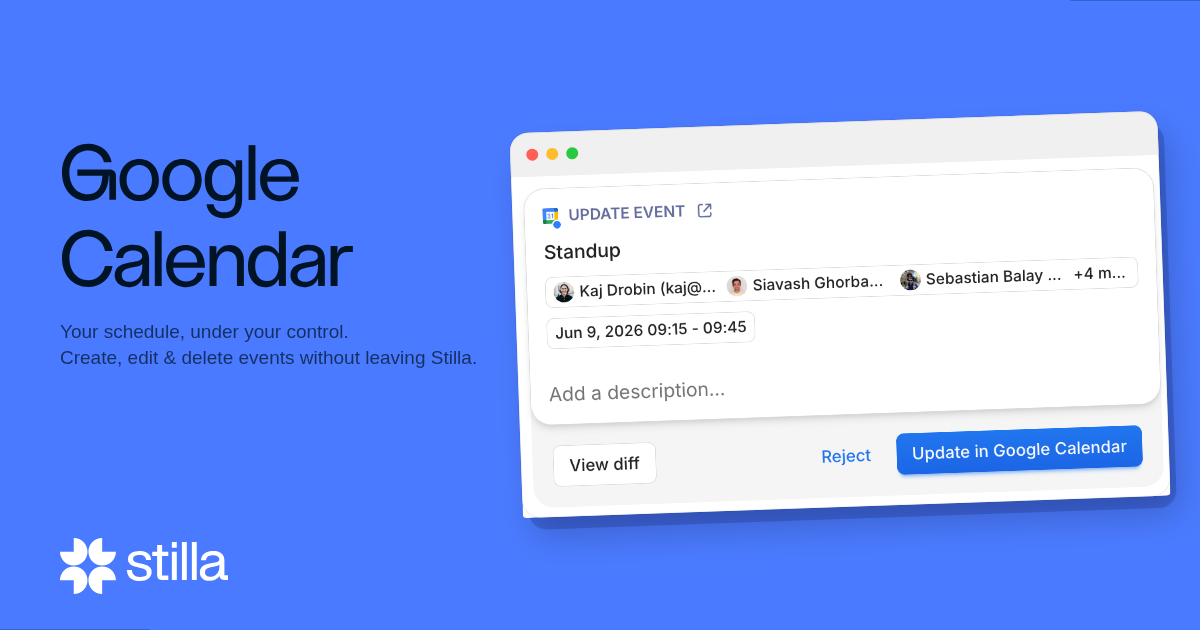
Your schedule, under your control. Create, edit & delete Google Calendar events without leaving Stilla. Schedule meetings from action items, clean up your calendar, and keep your schedule in sync — all from the same place you do the rest of your work.
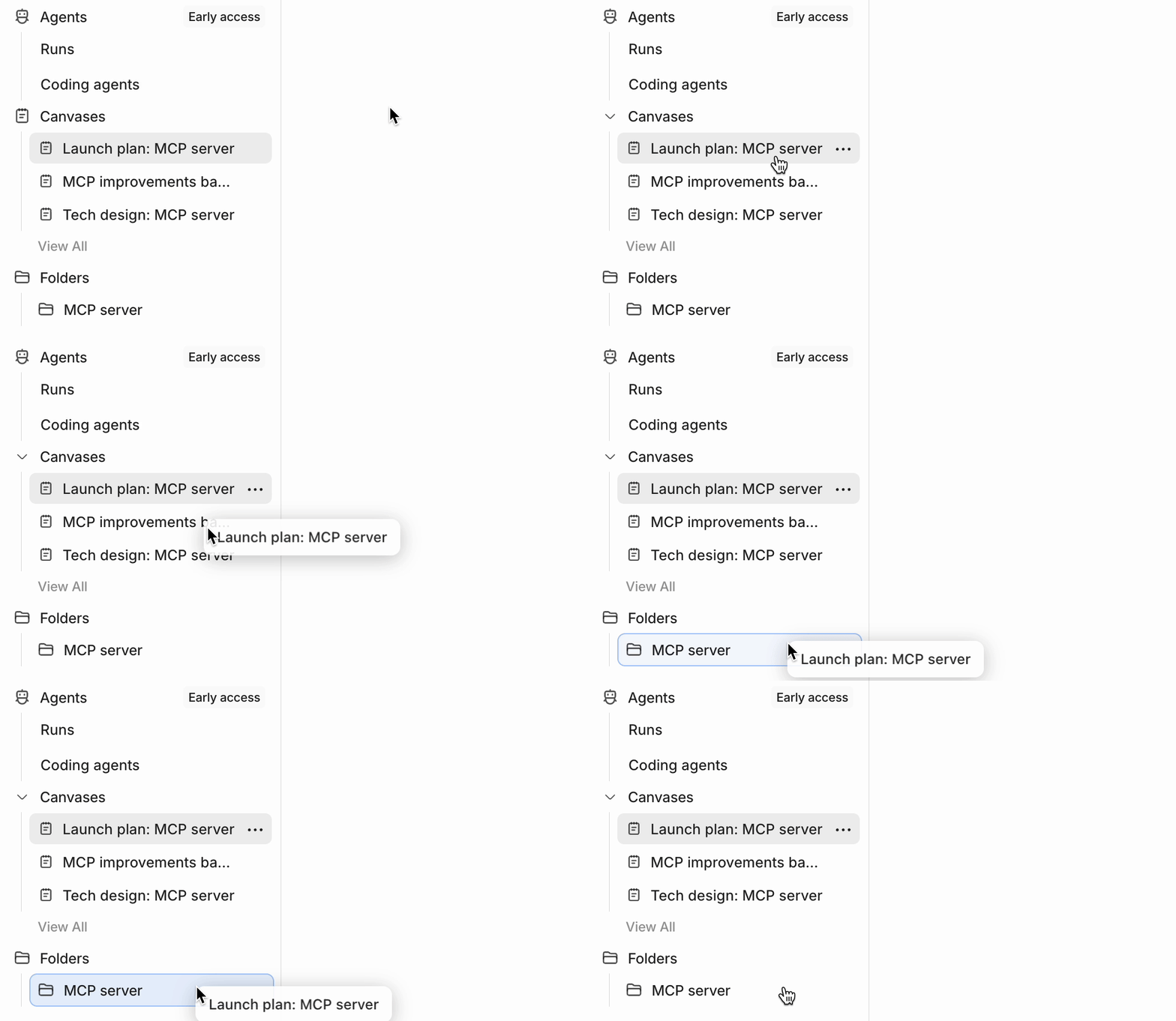
Organize at the speed of thought. Move folders anywhere in your sidebar by dragging them. Rearrange your workspace structure in seconds — no menus, no friction.
Let agents react to Outlook email.
Stilla can now run an agent when an email arrives in a connected Outlook inbox. Filter by sender, including domain wildcards like *@example.com, so teams using Microsoft 365 can route messages, triage requests, and kick off follow-up work as soon as the right email arrives.
Bring in the heavy artillery. Claude Fable 5 joins the Stilla model picker for the work that pushes everything else to its limits: deep reasoning, huge context, and complex multi-step tasks powered by Anthropic's most capable model.
Manage access and restrictions by team. Admins can now create user groups and share canvases or folders with an entire group at once. Enterprise organizations can also keep groups synced from SCIM directory providers and tailor organization restrictions by group, making it easier to give teams the access they need without managing every member individually.
Avoid accidentally long meeting recordings. When a recording has been running through a sustained stretch of silence, Stilla now suggests stopping it. This helps keep meeting notes focused and prevents a forgotten recording from folding unrelated conversations into the same transcript.
Let agents update Workspace files for you. Stilla can now propose edits to Google Workspace and Google Drive documents, including Docs, Sheets, presentations, and other Drive files. Review the change proposal, approve it, and Stilla applies the edit through your connected Google account. Organizations and agents with granular Google Drive resource restrictions cannot use this yet; support for that is coming soon.
Chat with Stilla from Telegram. Connect Telegram to use Stilla directly from a private bot DM. For now, Telegram support is limited to one-on-one direct messages with the Stilla bot; group chats are coming up next.
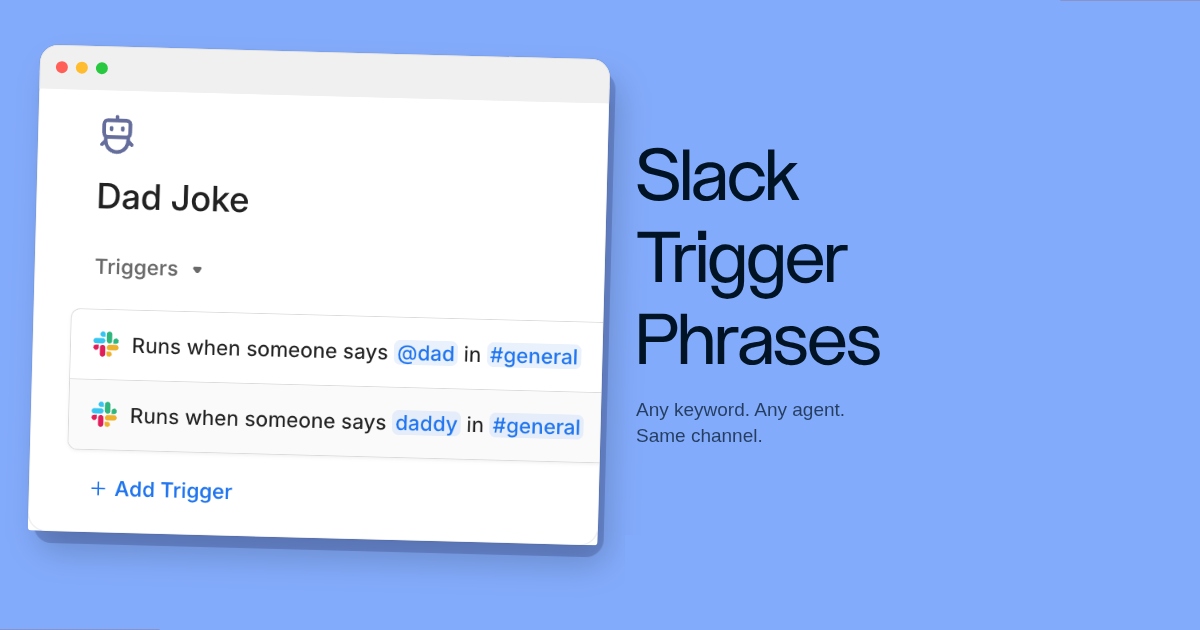
Any keyword, any agent — in the same channel. Deploy multiple Stilla agents in a single Slack channel, each responding to its own custom phrase. No @Stilla mention required. Route support requests to one agent and deployment commands to another — all without leaving the channel.
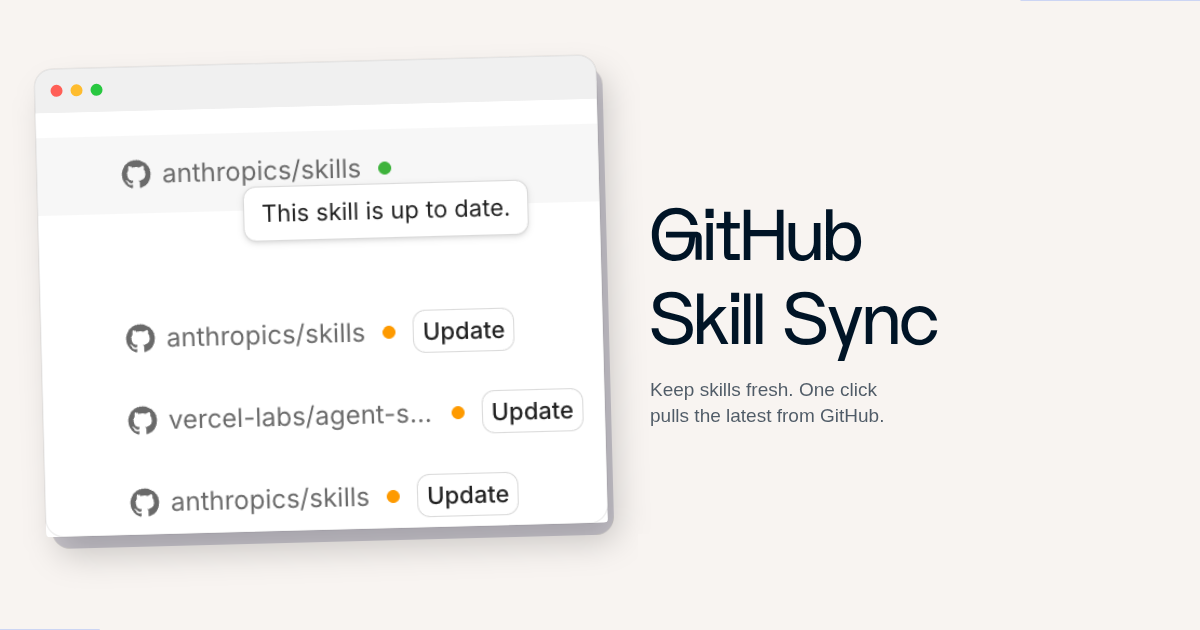
Keep your skills fresh in one click. Skills imported from GitHub now show their sync status inline. When an update is available, a single click pulls in the latest version — no manual reinstall needed.
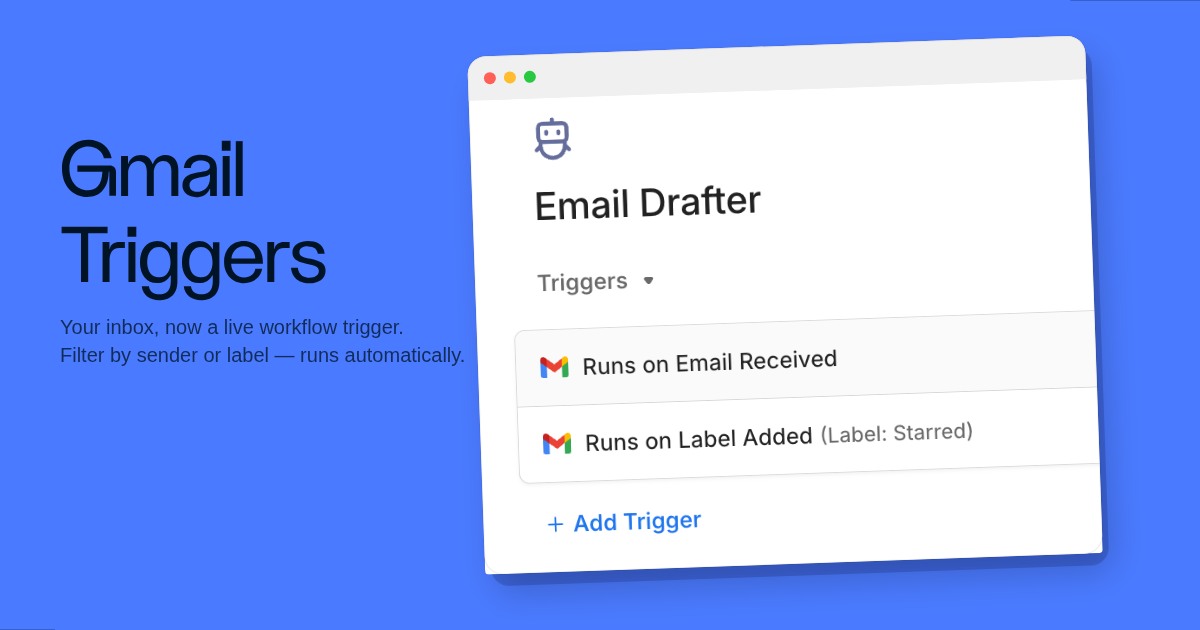
Let agents act on your inbox.
Stilla can now run an agent from activity in a connected Gmail mailbox. Trigger when a new email arrives or when a label is applied to a message, and narrow it by sender with domain wildcards like *@example.com, or by which label was added. Use it to route incoming mail, draft replies, or kick off follow-up work the moment the right message lands.
More power for complex work. Claude Opus 4.8 is now available as a model option in Stilla, giving you Anthropic's latest Opus model for complex reasoning, long documents, and demanding multi-step tasks.
Use trusted domains in email automation.
Email triggers and restrictions now support domain wildcards like *@example.com:
More of your repo, in Stilla. Stilla now reads a broader set of GitHub signals — CI run results, code scanning alerts, Dependabot vulnerabilities, secret scanning alerts, deployments, merge queues, packages, and security advisories. This gives Stilla the context to surface the right signal at the right time alongside the code changes, issues, PRs, and reviews it could already manage. The computer sandbox Stilla uses for coding tasks has the same expanded access.
Plan more follow-up work from Stilla. Stilla can now help with more follow-up workflows:
Create Linear projects from Stilla. Stilla can now create and update Linear projects through change proposals. Turn planning conversations into structured Linear projects, refine project details before approving them, and keep follow-up work moving without leaving Stilla.
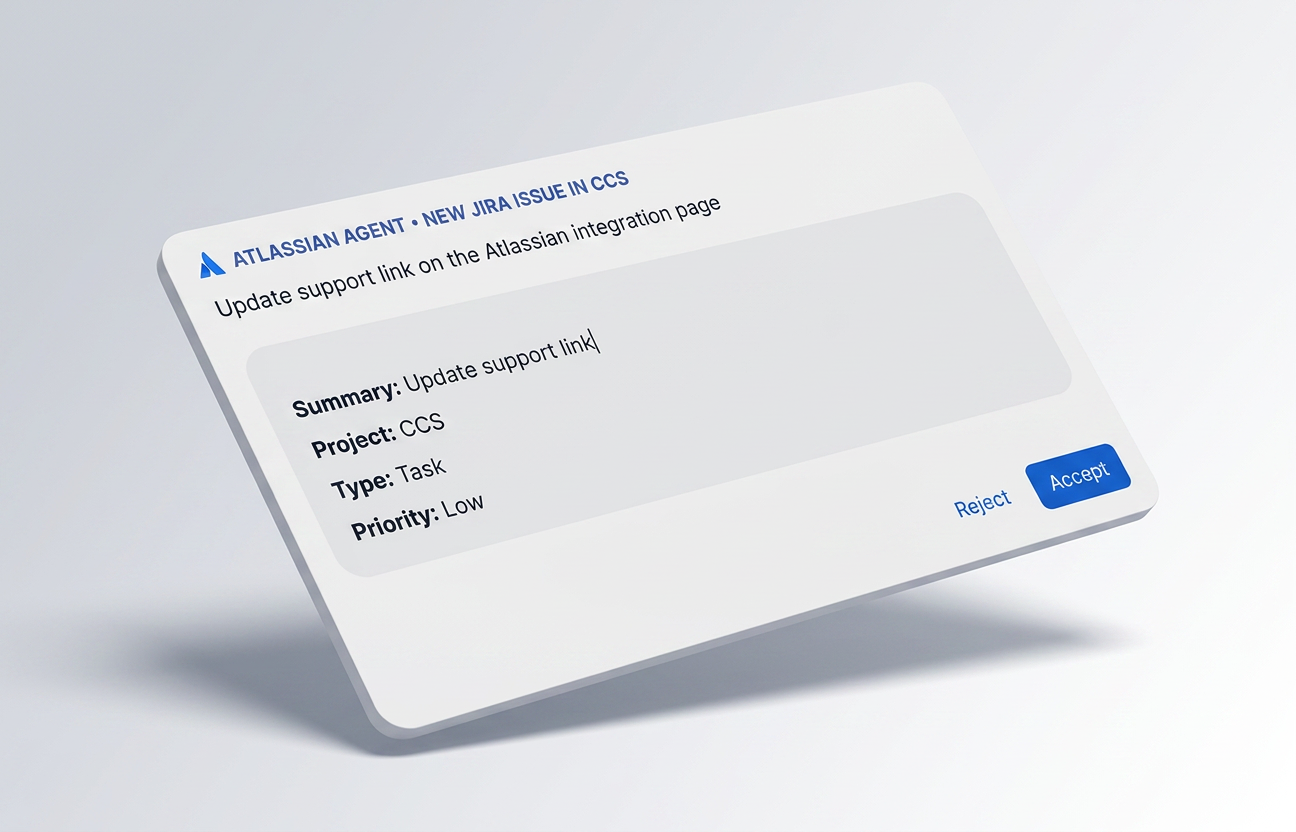
Your Atlassian workspace, connected. Connect Atlassian so Stilla can work with Jira, Confluence, and Compass. Bring issues, docs, and service context into conversations, then use Stilla to reason across your project work and keep follow-ups moving without switching tools.
Follow-ups from connected tools now wait their turn.
Messages and comments from Slack and GitHub now queue behind Stilla's active response instead of interrupting it, so busy threads stay in order while work is already running. Linear conversations follow the same ordered flow through Linear's own queueing, giving Slack, GitHub, and Linear a consistent experience for back-to-back requests. To stop the active response and take over immediately, mention Stilla with a stop command, like @stilla stop.
Bring your designs into Stilla. Connect Figma to pull designs and comments straight into your work. Drop a Figma link into a chat or canvas and Stilla fetches the file structure, renders nodes as images, and reads the comment thread — so design context lives alongside the rest of your workspace. Stilla can also post comments back to Figma as change proposals, closing the loop between discussion and design.
A fast option for everyday work. Gemini 3.5 Flash is now available as a model option in Stilla. It is a fast Google model for high-speed reasoning, quick summaries, frequent agent runs, and low-latency chats.
Get to know your teammates at a glance. Every organization member now has a profile page showing who they are, the canvases they've created, and how to reach them across connected tools. Open a profile from anyone's avatar or name throughout the app, or browse everyone from Settings → Members.
Connect Stilla to as many GitHub organizations as you need. Stilla now supports connecting to more than one GitHub organization at the same time. Bring repos from multiple GitHub orgs into one Stilla workspace so agents can review PRs, update docs, and make follow-up changes without choosing a single org.
Keep the conversation moving while Stilla works. You can now send follow-up messages while Stilla is still responding. New messages appear in a visible queue instead of immediately interrupting the current run, so you can stack up next steps, edit or remove queued messages before they run, or force-send one when it should take priority.
Connect Stilla to as many Slack workspaces as you need. Stilla now supports connecting to more than one Slack workspace at the same time. Run Stilla in your internal team workspace and your customer or partner community simultaneously — no need to pick just one.
Bring your meeting history with you. If you already use Granola, Fireflies, or Fathom to record meetings, you can now import those notes into Stilla from Settings > Import. Stilla creates meeting canvases from the source service's summaries, transcripts, attendees, speakers, and action items when available, so past conversations can live alongside the rest of your workspace.
Stay in the loop without leaving Stilla. Notifications now appear directly in the Stilla app — open the bell in the sidebar to see what's new, jump to the related canvas, and mark things read. Per-notification channel overrides let you choose where each kind of update lands: in the app, in email, in Slack, or any combination.
Railway MCP server — Manage projects, services, and deployments on Railway. Debug failing deploys, set up databases, and redeploy services.
Choose the model that fits the job. The model picker is now available to everyone. Set a default model for your organization, override it for yourself, pin a specific model on a single agent, or pick one inline for a single chat — Stilla follows the most specific choice. Available on credits-based billing.
Let the agent into some folders, keep it out of others. Restriction policies now support per-folder access on Stilla. Allow or deny the agent on specific folders, and rules inherit through nested folders — a more specific override on a child folder wins over one on its parent. Grant an agent access to just a project folder while keeping the rest of your workspace off-limits, or lock down a sensitive folder while letting the agent roam everywhere else.
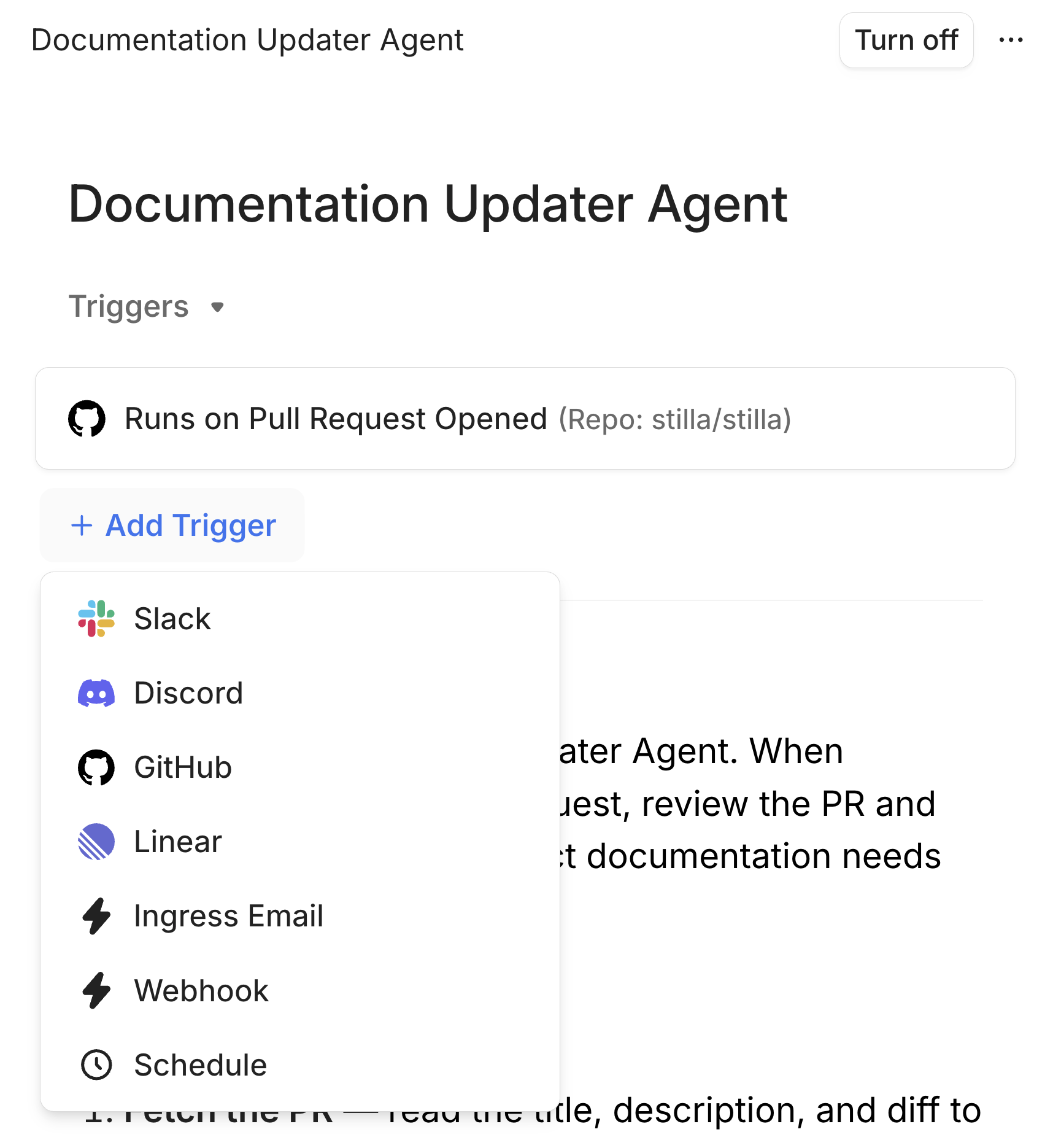
Automate on your terms. Trigger agents automatically based on events from your connected tools — a new GitHub PR, a merged Linear issue, an incoming Slack message, or any webhook. The redesigned triggers panel in the agent builder lets you configure each trigger independently, with per-event filters to control exactly when your automation fires.
Loop in the whole team, not just one person. When asking Stilla to request a PR review, you can now target GitHub teams — not just individual users. Stilla looks up your organization's teams and assigns the review to the right group automatically.
Everything in its place. The sidebar is cleaner and smarter — collapsible Recents, Agents, and Folders sections let you focus on what matters. Chat and canvas can now be shown or hidden independently, so you can go chat-only or doc-only with a click. On mobile, chat is now front and center with the canvas a swipe away.
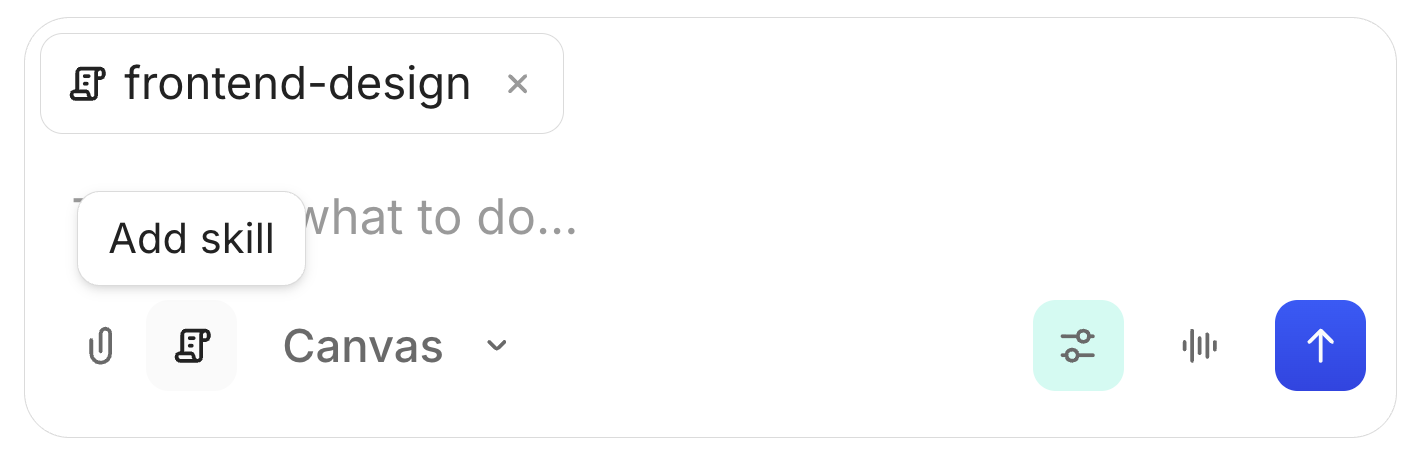
The right skill, one click away. A new skill picker button in the chat toolbar gives you instant access to all your installed skills. Search by name, browse descriptions, and invoke any skill without typing its name manually.
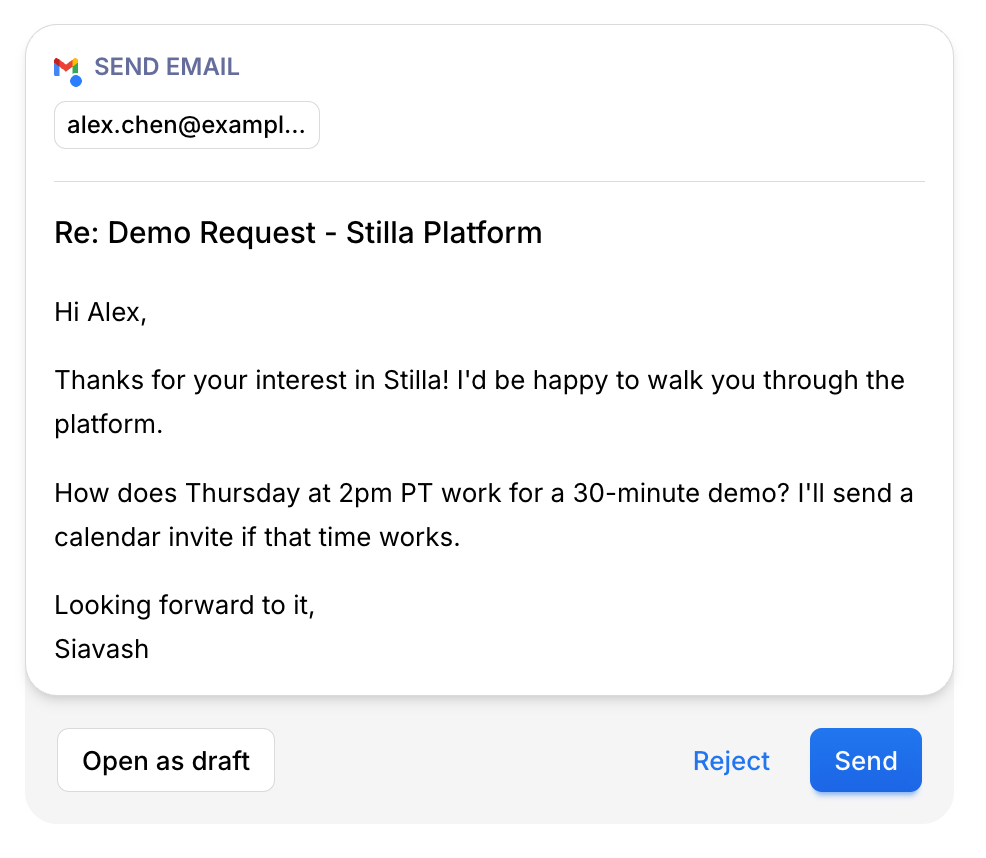
Write now, send later. Stilla can now create email drafts in Gmail and Outlook instead of sending immediately. Ask Stilla to draft a follow-up from your meeting notes, then review and send it yourself.
More power when you need it. Claude Opus 4.7 is now available as a model option in Stilla — Anthropic's most capable model, ready for complex reasoning, long documents, and your most demanding tasks.
Find what came from where. Filter your canvas list by source — Slack, GitHub, Linear, meetings, and more. Quickly surface all the notes from a specific channel or all the docs tied to your GitHub repos.
Move emails where they belong. Stilla can now list your Outlook mail folders and move emails between them — great for organizing your inbox, archiving threads, or filing receipts after a meeting.
Trigger agents from emoji reactions. You can now trigger an agent from a Slack emoji reaction. Add an emoji reaction event trigger to any agent blueprint, pick the emoji, and Stilla will run the agent whenever that reaction is added in Slack.
Clean up conversations you no longer need. You can now permanently delete chats from a canvas. Open the chat overflow menu and choose Delete — you'll be asked to confirm before anything is removed. Archiving is still available for chats you want to keep but hide from view, and you can share a chat with all canvas participants or make it private at any time.
Cleaner links in Slack messages. Fixed a bug where links sent by Stilla in Slack would sometimes render as raw markup instead of proper clickable links.
Enterprise-grade control over what Stilla can access. Enterprise organizations can now configure organization-wide restrictions from Settings, controlling which systems and resources Stilla can access across all interactions — user chats, Slack conversations, and agents. Also set default agent restrictions so new agents inherit your security policies automatically.
Your sales calls, automatically turned into action. Connect your Gong account and Stilla processes your recorded calls — extracting decisions, action items, and next steps, then executing the follow-up across your stack. Search calls, read full transcripts, and ask questions about what was discussed, all without leaving Stilla. Listed on the Gong Collective.
Profound MCP server — Track AI visibility, sentiment, citations, and agent analytics across your brand and content via Profound.
Browse and install community-built skills. The skills.sh marketplace is now available to all users. Discover and install skills directly from within Stilla.
Pipeboard Meta Ads MCP server — Manage Meta Ads campaigns, ad sets, creatives, targeting, and analytics via Pipeboard.
Stay informed about blocked access attempts. Organization admins can now receive configurable notifications when someone is denied sign-in or sign-up access due to your workspace policy (for example, disabled members or automatic sign-up settings). Notifications include clear next steps with links to Security settings and Members so admins can invite people directly when needed.
Full visibility and control over your organization's connectors. The admin Manage Connectors page now shows all user connections — including custom MCP servers — with a clear view of which users have each connector configured. Admins can set a global default for whether new connectors are enabled or disabled, making it easy to lock things down and opt in to specific connectors one by one.
Audioscrape MCP server — Search over 1M+ hours of podcasts, interviews, and talks. Find quotes, track topics, and discover audio content.
Logfire MCP server — Query OpenTelemetry traces and metrics, analyze distributed traces, and run custom queries via Pydantic's Logfire.
Connect thousands of apps and APIs to your Stilla workflows. Stilla now supports over 3,000 pre-built integrations — from CRMs and databases to marketing tools and payment platforms. Connect your accounts and let your agent take actions across services that go far beyond our native integrations.
CoinGecko MCP server — Access real-time crypto prices, market data, trends, and onchain analytics.
Heroku MCP server — Manage apps, dynos, add-ons, and your entire Heroku infrastructure.
LaunchDarkly MCP server — Manage feature flags, targeting rules, rollout strategies, and AI model configurations.
Sanity MCP server — Manage content, run GROQ queries, explore schemas, and handle releases in your Sanity CMS projects.
ThoughtSpot MCP server — Query analytics with natural language via Spotter, retrieve answers and Liveboards, and stay aligned with your ThoughtSpot semantic model and permissions (ThoughtSpot Agentic MCP).
Prisma MCP server — Manage Prisma Postgres databases, backups, connection strings, SQL queries, and schema introspection via the remote MCP server (Prisma MCP documentation).
Stack Overflow MCP server — Search questions and retrieve trusted developer answers from Stack Overflow.
Datadog MCP server — Monitor and analyze your infrastructure, applications, logs, and security.
Vanta MCP server — Manage security compliance programs, evidence collection, and audit readiness.
Shopify Storefront MCP server — Search products, manage carts, and get store policy answers from any Shopify store.
HubSpot MCP server — Access CRM data including contacts, companies, deals, and tickets.
ClickHouse MCP server — Query ClickHouse Cloud databases, inspect schemas, and run analytical queries against your data.
Buildkite MCP server — Access and manage CI/CD pipelines, builds, jobs, and test analytics in Buildkite.
Your project management, connected. Connect Monday.com to manage projects, track tasks, automate workflows, and collaborate across boards and workspaces directly from Stilla.
Time, your way. A new toggle in your profile settings lets you switch between 12-hour (AM/PM) and 24-hour clock format. The setting applies everywhere times are displayed — meetings, calendars, schedules, and canvases.
Your Microsoft workflow, connected. Search emails, draft and send messages, and view Outlook Calendar events — all from Stilla. Action items from meetings can go straight to Outlook as emails, and your Outlook calendar stays in sync so Stilla has full context when you need it.
Stilla in your inbox. Email Stilla directly and get a full AI response back in the thread. Share attachments, ask questions, request summaries, or kick off workflows — all through regular email. No app required.
Code review, handled. Stilla can now review GitHub pull requests on your behalf — approve changes, request revisions, and leave inline comments on specific lines of code. Configure whether Stilla is allowed to approve or request changes in your GitHub organization settings.
Folders all the way down. Organize your workspace with subfolders for deeper hierarchy. Nest folders inside other folders, navigate with breadcrumbs, and structure your canvases however makes sense for your team.
Your work, attributed correctly. Issues, comments, and reviews created by Stilla in GitHub now appear as coming from Stilla rather than from your personal account. Your teammates see exactly who — or what — authored each contribution, keeping your GitHub activity clean and Stilla's actions clearly identified.
All your security controls, one place. A new Security page in organization settings brings together domain verification, join policies, and identity management. Add and remove verified domains, control whether users outside those domains can be invited, and configure how new members join your workspace — via invite, Slack, Linear, or email. Organizations on the Enterprise plan can also configure Single Sign-On (SSO) and SCIM directory sync for automatic user and group provisioning.
Stay compliant, automatically. Enterprise organizations can now set a transcript retention period — 24 hours, 30 days, 90 days, or 1 year. Once the retention window passes, meeting transcripts are automatically and permanently deleted.
Snakker du norsk? Stilla now supports Norwegian (Bokmål) as a transcription language. Select it in your transcription language settings to get meeting notes and voice transcriptions in Norwegian.
Find anyone in your workspace instantly. The organization members page now includes search and filtering. Quickly locate teammates by name across members and pending invitations — especially useful as your workspace grows.
Stilla works everywhere your channels do. You can now interact with Stilla in Slack channels shared across multiple teams or workspaces through Slack Connect. Previously, only one of the connected teams could use Stilla in a shared channel — now every team with Stilla installed can.
Your team's Discord, connected. Stilla now works natively in Discord — mention @Stilla in any channel to get instant help, create canvases, take meeting notes, and manage action items. Stilla can also send messages back to Discord channels as change proposals, completing the loop between your work and your conversations.

All your calendars, one Stilla. Stilla now shows events from all calendars in your connected Google account — not just your primary. Reference any scheduled meeting, regardless of which calendar it lives in.
Speak your mind, literally. A microphone button in every chat input lets you record voice instructions instead of typing. Stilla transcribes your speech and pre-fills the message field, making it faster to give instructions and ask questions naturally.
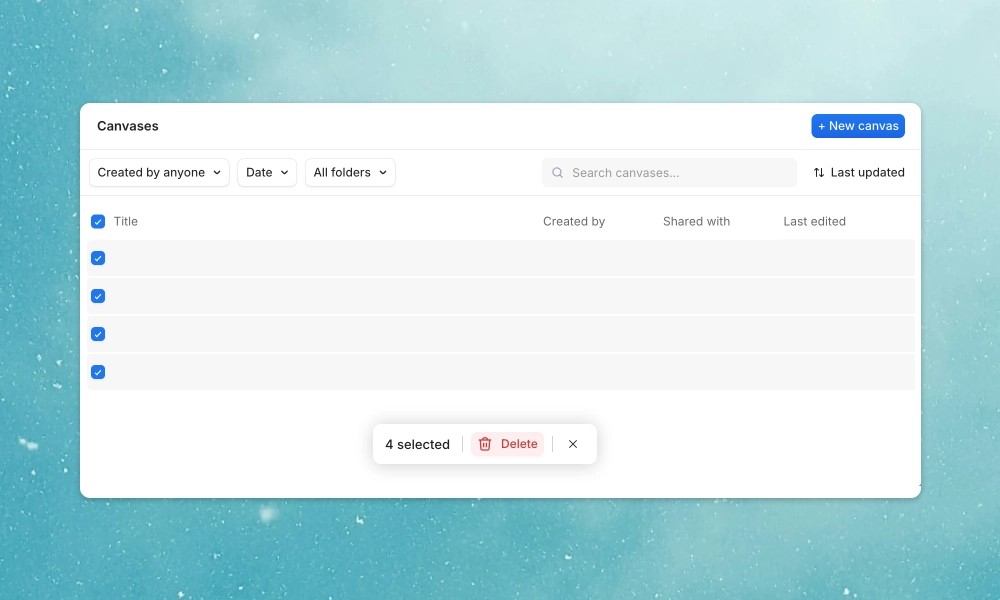
Act on many items at once. Select multiple canvases or items and perform actions in bulk — move, delete, share, or organize without repeating yourself. Hold Shift or Cmd to multi-select, then use the bulk action bar to apply changes instantly.
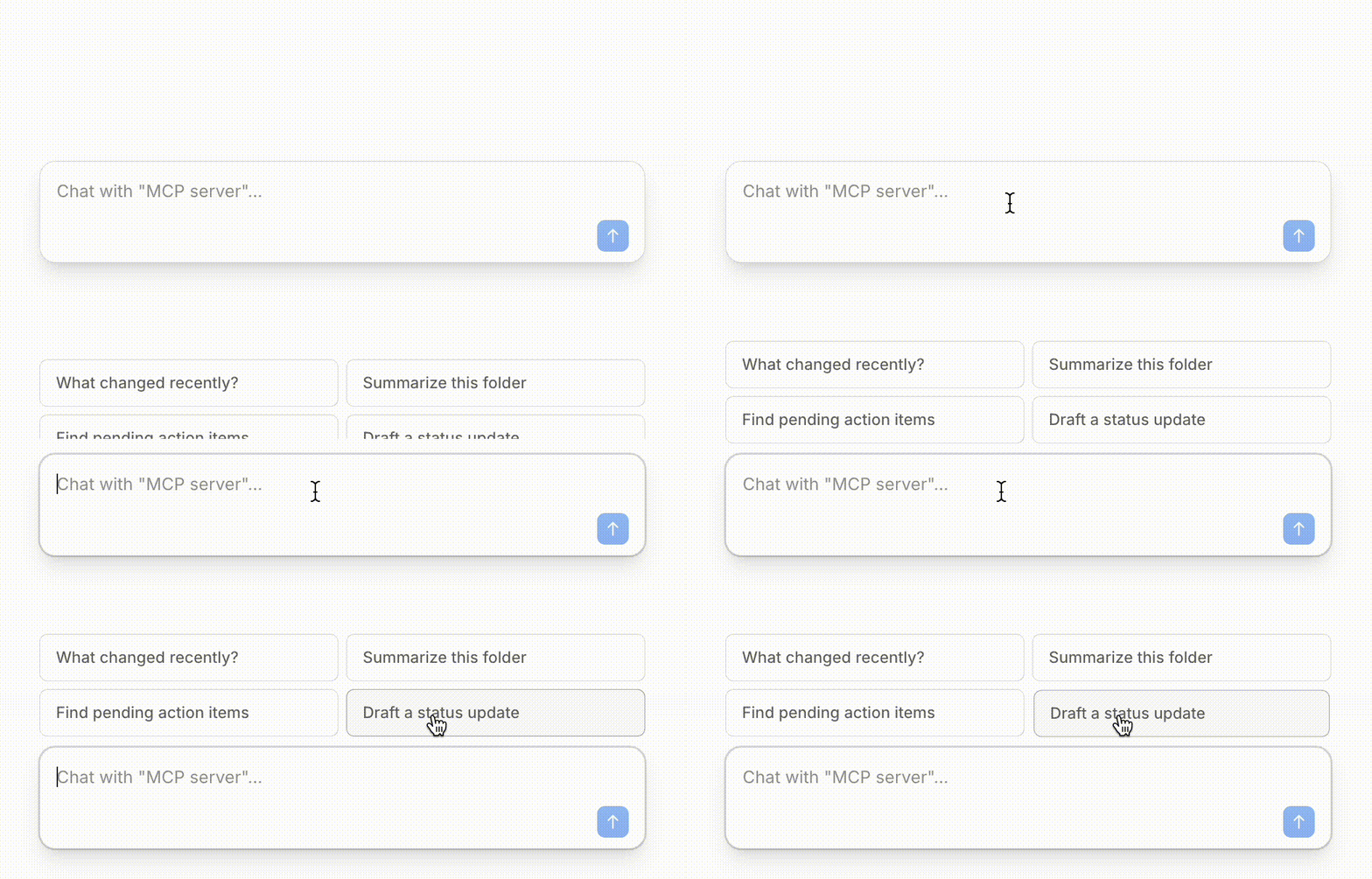
Organize your workspace your way. Group canvases into folders for a cleaner, more structured workspace. Create folders, drag and drop canvases between them, and find what you need faster with a familiar file-system layout. Control who sees what with folder-level permissions, and chat directly with a folder to get answers across all its content at once.
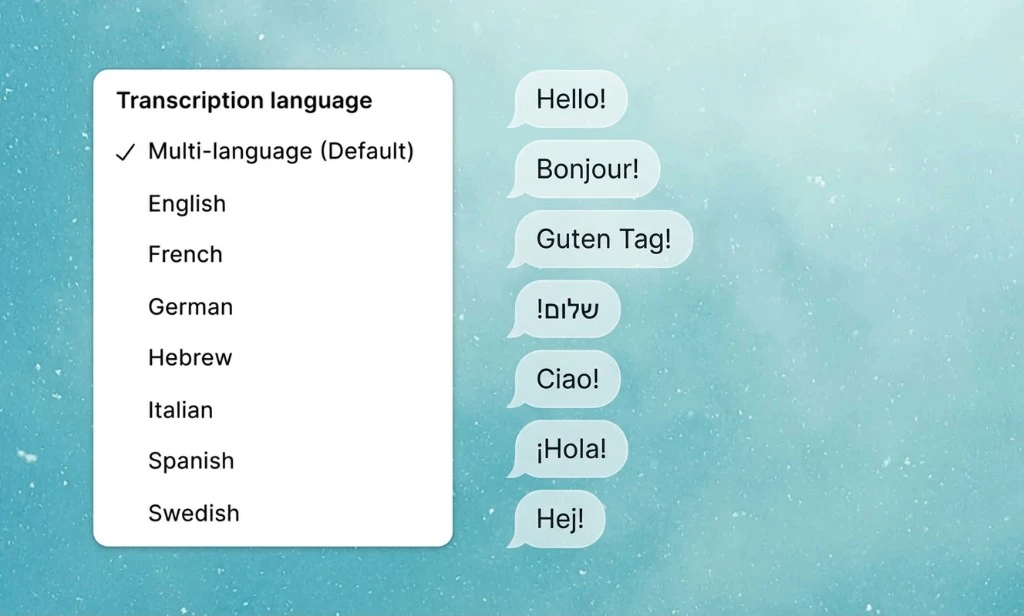
Use Stilla in your language. Choose your preferred language for Stilla's responses from 7 supported languages: English, Spanish, French, German, Italian, Hebrew, and Swedish. Stilla adapts to communicate in the language that feels most natural to you.
Your CRM, AI-connected. Manage companies, people, deals, and workflows in Attio directly from Stilla. Search your CRM, update records, and create activities - all without leaving your workflow.

Tag entire teams in Slack. Mention user groups like @engineering or @design directly in change proposals. Stilla automatically notifies all members, making it easier to loop in the right people.
Fine-tune security settings. Workspace admins can now manage allowed domains for Stilla's web access, or disable the allowlist to give Stilla access to fetch content from any public URL. Configure this in workspace settings.
Continue conversations, don't start new ones. Reply to existing email threads directly from Stilla, not just send new emails. Keep your inbox organized by adding to ongoing conversations instead of creating separate threads.
Crystal clear audio in every recording. Stilla now transcribes your audio perfectly even when you're not wearing headphones. No more garbled transcripts from speaker playback or echo — just accurate transcripts every time.
Know what's shared across your organization. Visual indicators show which MCP connections are org-wide versus personal. See at a glance what integrations your entire team can access and which are just yours.
Never lose your thoughts mid-switch. Typed messages are preserved when switching between canvases. Start drafting a message, jump to another canvas, and return to find your text exactly where you left it.
Connect to your Supabase databases. Access Supabase databases directly through MCP. Query your data, check schemas, and reference your database content without leaving Stilla.
Your meeting context, in your Claude workflows. Use Claude Code to access meeting notes and action items from Stilla. Continue working on what was discussed in Claude Code without switching contexts or manually copying information between tools.

Get current information for your work. Search the web for API docs, pricing, technical solutions, or any information beyond your internal data. Ask about product features, competitor analysis, or recent technical discussions—Stilla finds what you need.
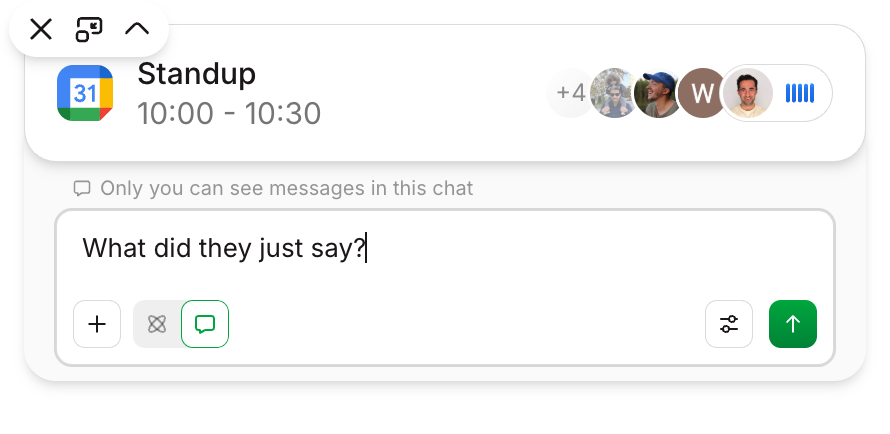
Stay in the call, stay productive. Chat with Stilla during meetings without switching windows. Ask questions about what was just discussed, create action items, or update documents—all while your video call stays front and center.
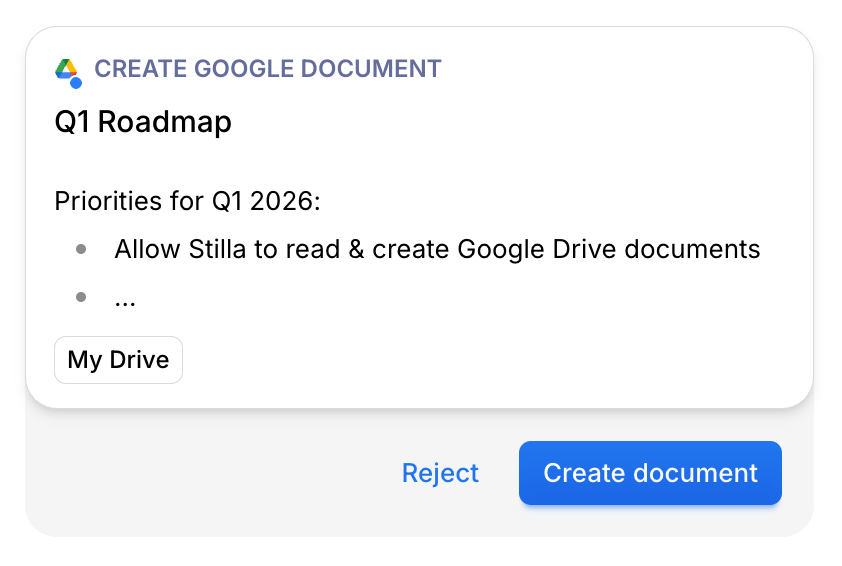
Your Drive, fully connected. Search and reference any document in Google Drive. Create new Google Docs directly from Stilla—draft the content as a proposal, refine it, then publish to your Drive with one click.
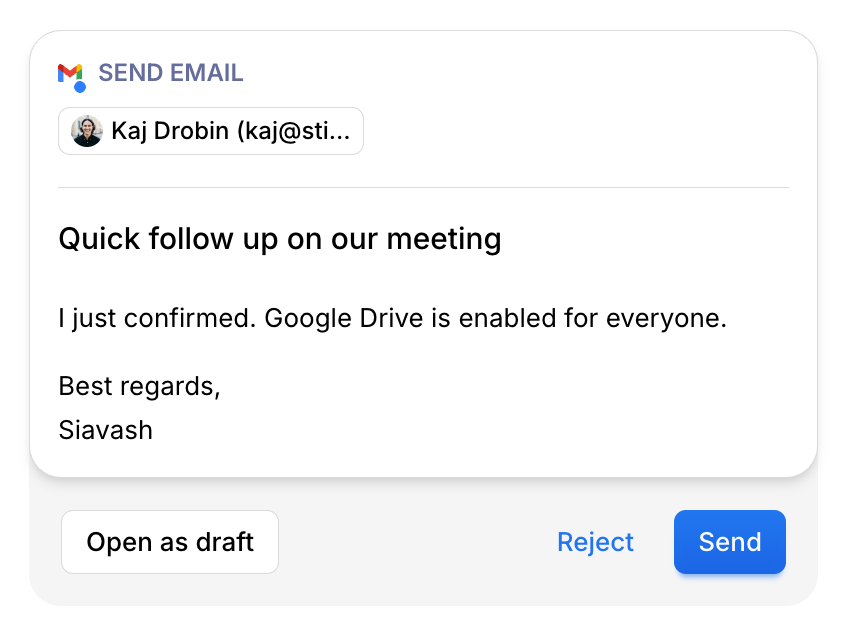
Draft emails without sending. Create, edit and save Gmail drafts directly from Stilla. Perfect for preparing follow-up emails during meetings or crafting responses you want to review later. Your drafts sync instantly with Gmail.
See Canvases right in Slack. Canvas links and memos now appear as rich Slack Work Objects, providing better previews and native Slack integration for seamless collaboration.
Work with any file type. Drop Word docs, Excel spreadsheets, PowerPoint presentations, and even videos into Stilla. The new file processor extracts content and descriptions automatically, so you can reference and work with information from any source without manual conversion.
Reply exactly where you need to. Send messages directly into Slack threads from Stilla. Keep conversations organized by responding to specific messages instead of starting new threads.
Your inbox, connected. Search emails, draft responses, and send follow-ups without leaving Stilla. After meetings, instantly draft and send recap emails to attendees. Reference email threads when creating issues or updating docs and much more.

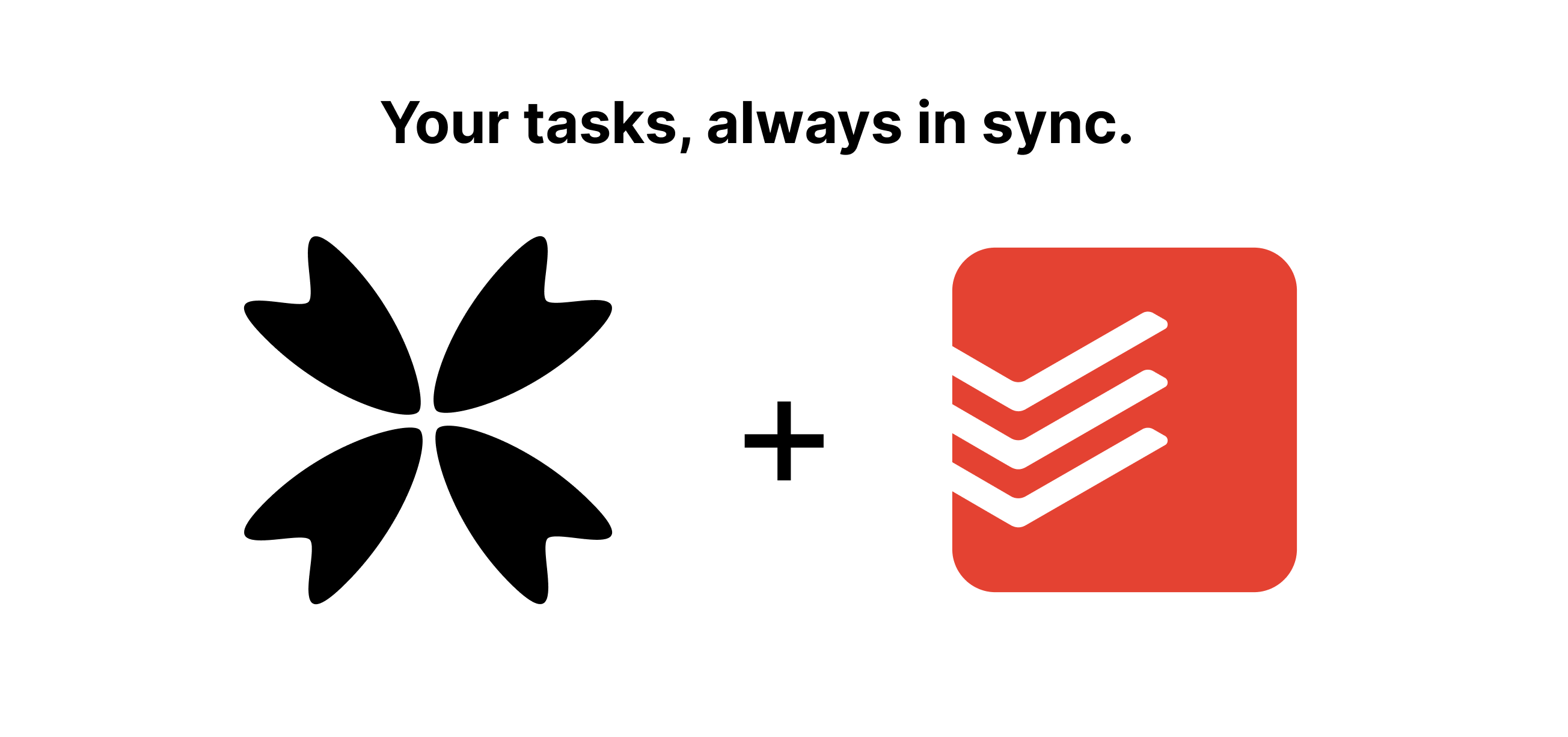
Your tasks, always in sync. Create, complete, and manage Todoist tasks without switching apps. Meeting action items flow directly into your Todoist projects. Reference your task list when planning work or ask Stilla what's due today.
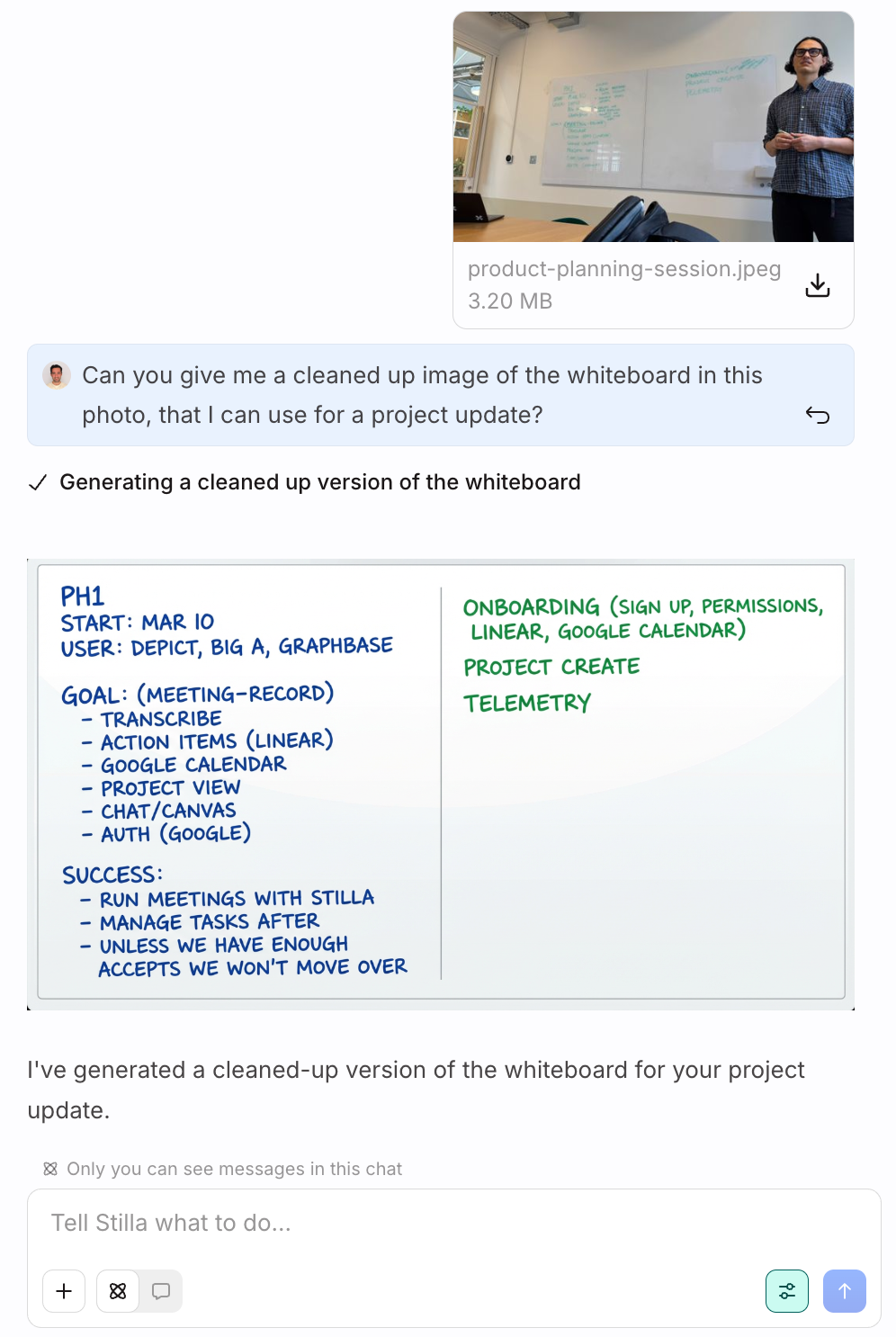
See, create, and clean up images. Drop in diagrams, whiteboard photos, or screenshots and have Stilla extract details, summarize, or turn them into polished visuals. Generate images directly in chat, add them to canvases.
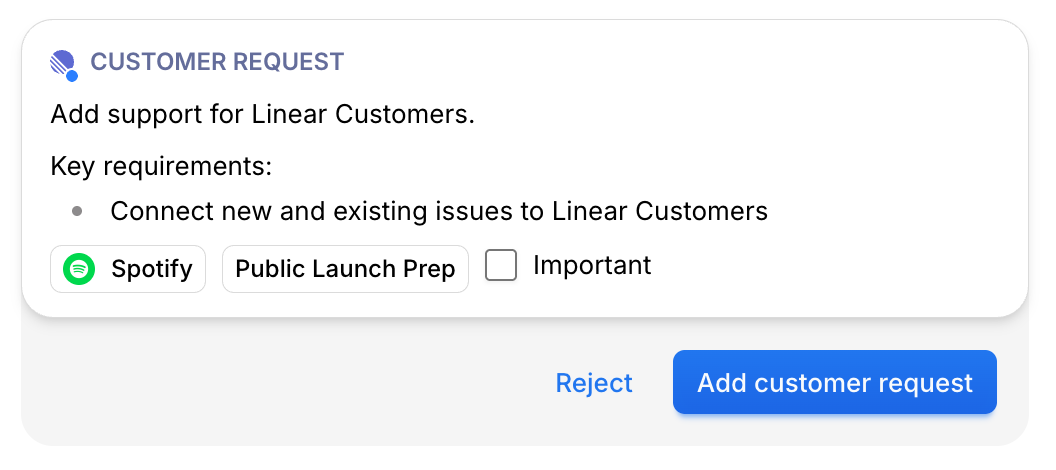
Track customer feedback directly in Linear.
Create customer requests, link them to issues and projects, mark importance, and search across all customer data. Available on Linear's business tier.
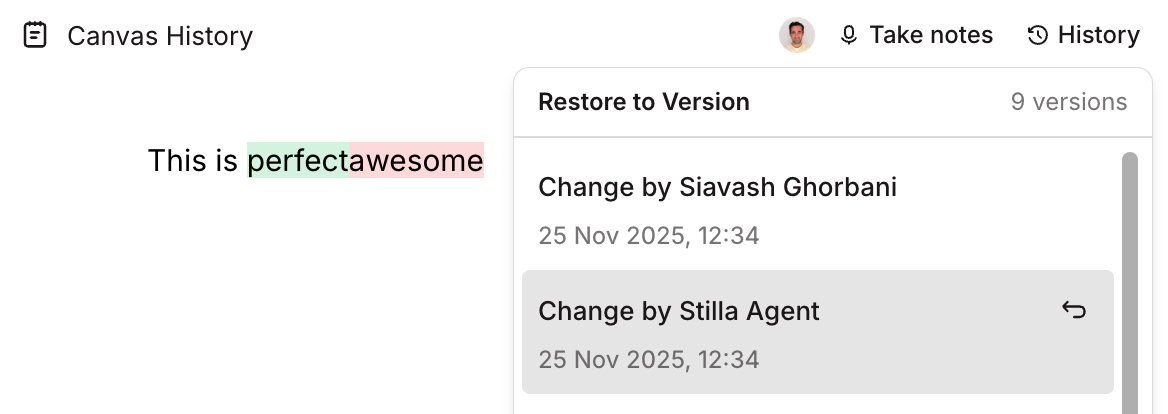
Never lose work again.
See changes you, your team or Stilla have made to a canvas and restore to any previous version.
Work together with your team in real-time. Multiple people can now edit the same canvas simultaneously with live cursors, and a shared chat for coordination. Join meetings from the same calendar invite and everyone automatically lands in the same canvas.
Generate, edit, or clean up images. You can now create usable infographics, clean up whiteboard photos for tickets in Linear, and make visuals that appear in your canvases, Slack, Linear, or GitHub.
Mention @Stilla in any GitHub comment or PR to get instant help. Create issues, add comments, and track work directly from Stilla. Works seamlessly across your entire GitHub workflow.
Full support for Linear projects, initiatives, and documents. Update project descriptions, write project updates with health indicators, and keep your entire Linear workspace in sync.
Every claim Stilla makes now links back to its source. Click any citation to jump directly to the transcript, Linear issue, GitHub PR, or Notion page where the information came from.
Share canvases with your team, your entire organization, or make them public. Control who can view vs edit. Perfect for meeting notes, project docs, and team knowledge.
Get notified in Slack when canvases are shared with you, when action items are assigned, and when meetings complete. Stay in the loop without checking multiple apps.
Admins can now control which integrations are enabled for the entire organization. Set permissions, manage connections, and control which domains Stilla can access.
Have private conversations with Stilla or collaborate with your team in a shared chat. Each canvas supports multiple chat threads so you can ask questions privately while working together.
Stilla now writes directly in your canvas like a real team member. Watch edits happen in real time, whether they're made by Stilla or other collaborators.
Multiple people from the same calendar invite now automatically join the same canvas. Collaborative real-time transcription means everyone sees the same notes and action items. One source of truth for every meeting.