
Stilla for Slack
Turn conversations into action. Get insights, create tasks, and move work forward—right from Slack.

Keep work moving without leaving Slack
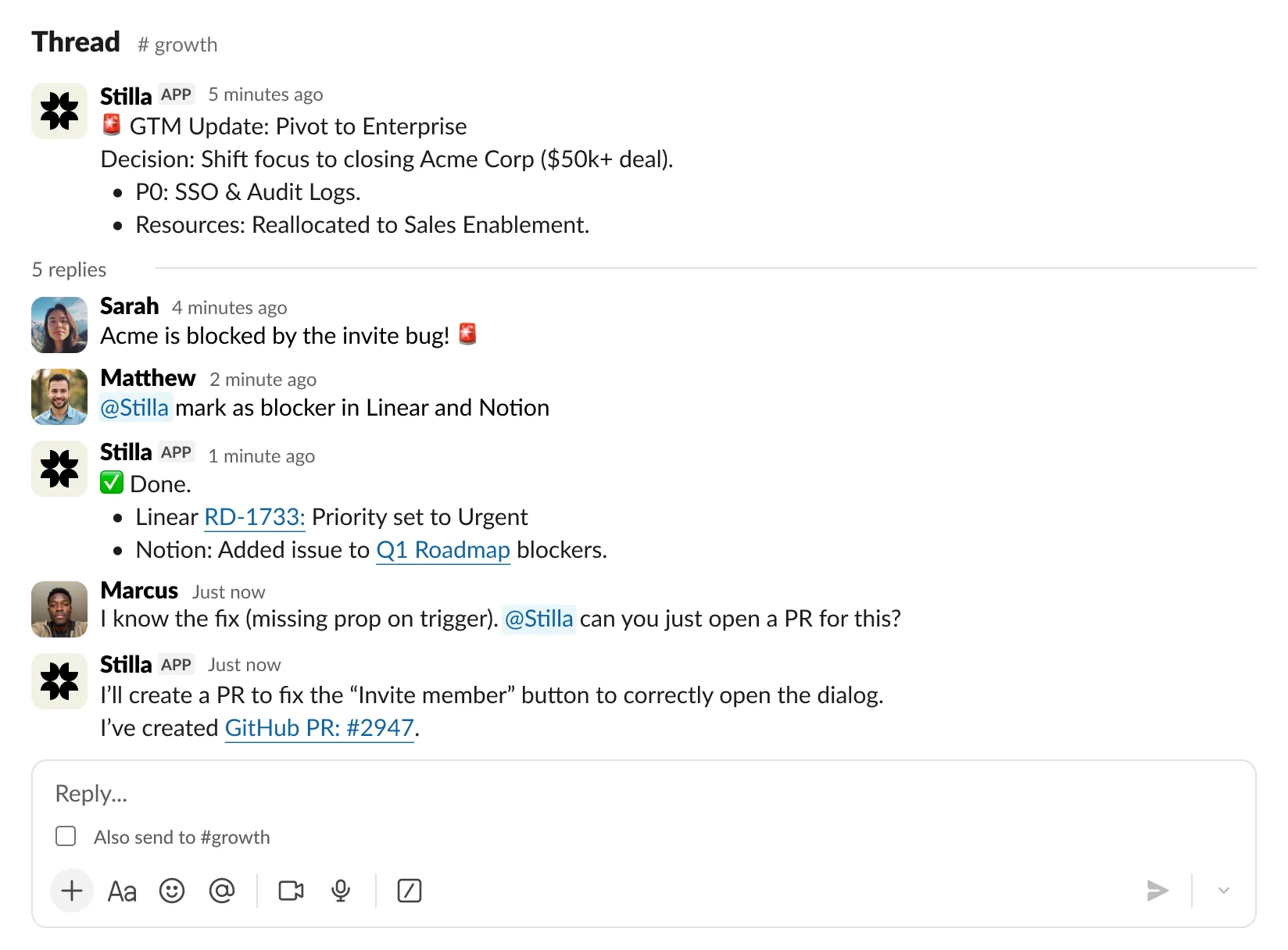
Ask Stilla anything
Search across Linear, GitHub, Notion, and your team's knowledge. Get answers without switching tabs.
Create and update tasks
Turn Slack threads into Linear issues. Update status, assign work, add comments—all without leaving the conversation.
Stay in the loop
Get updates on PRs, issues, and projects. Stilla keeps you informed where you already work.
Share context
Reference canvases, link to issues, and share insights directly in channels. Keep your team aligned.
Three steps to bring Stilla into Slack
- Step 1
Connect your workspace
Add Stilla to your Slack workspace
- Step 2
Mention @Stilla
Ask questions or give instructions in any channel
- Step 3
DM for private work
Message Stilla directly for personal tasks and searches
Some AI agent features may require a paid Slack plan. Core integrations work on all plans. AI responses are a helpful starting point. Stilla uses change proposals to let you review and approve actions before they happen—keeping you in control and ensuring accuracy.
More integrations
 Slack
Slack Microsoft Teams
 GitHub
 Google Calendar
 Outlook Calendar
 Zoom
Zoom Linear
 Claude
 Google Drive
 SharePoint
 OneDrive
 Gmail
Gmail Outlook Mail
 Notion
 Gong
Gong Discord
 Cursor
 Mintlify
 Amplitude
 Mixpanel
 Intercom
 Customer.io
 Attio
Attio HubSpot
 Asana
Asana Miro
Miro PostHog
 Prisma
 Sanity
 Quanti
 Cloudflare
 Vercel
 WixSlackMicrosoft TeamsGitHubGoogle CalendarOutlook CalendarZoomLinearClaudeGoogle DriveSharePointOneDriveGmailOutlook MailNotionGongDiscordCursorMintlifyAmplitudeMixpanelIntercomCustomer.ioAttioHubSpotAsanaMiroPostHogPrismaSanityQuantiCloudflareVercelWix
 Sentry
 PagerDuty
 Todoist
 Railway
 Ramp
Ramp Stripe
 ThoughtSpot
 Clockwise
 Honeycomb
 ClickHouse
 Supabase
 Neon
Neon DeepWiki
 Wolfram Research
 Exa
Exa Polar
Polar Stytch
 Buildkite
 Stack Overflow
 LaunchDarkly
 Logfire
 Heroku
 CoinGecko
 Audioscrape
 Pipeboard Meta Ads
 Profound
 LogRocket
 Higgsfield
 OpenRouter
 Superlist
 Resend
 MCPSentryPagerDutyTodoistRailwayRampStripeThoughtSpotClockwiseHoneycombClickHouseSupabaseNeonDeepWikiWolfram ResearchExaPolarStytchBuildkiteStack OverflowLaunchDarklyLogfireHerokuCoinGeckoAudioscrapePipeboard Meta AdsProfoundLogRocketHiggsfieldOpenRouterSuperlistResendMCP